
DarkWatch Feature
Brand Protection
An enterprise add-on for DarkWatch that detects lookalike domains, phishing, executive and social impersonation, and logo abuse across the open web.
Protect your brand across the open web before your customers see the fake.
Brand Protection extends DarkWatch beyond credentials to the rest of your attack surface. Continuously detect lookalike domains, phishing, executive and social impersonation, and logo abuse, with the evidence and guided takedowns your team needs to shut them down.

Stop guessing who is impersonating you
Everything you need to defend your brand
Domains, apps, social profiles, and logos, all monitored from the same platform your team already uses for breach intelligence.

Domain threat detection
Typosquats, lookalikes, certificate abuse, and DNS risks surfaced as they appear.

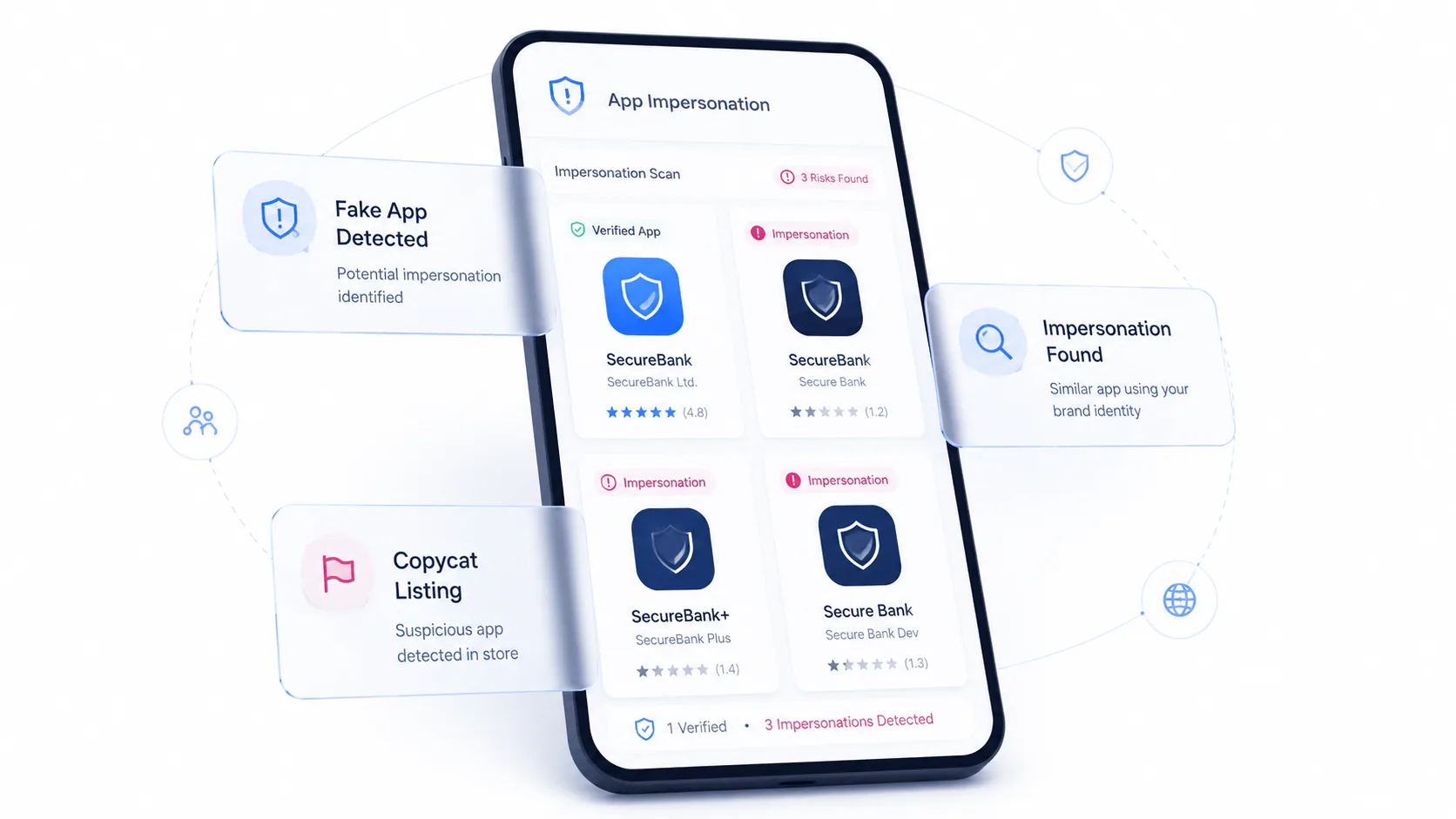
Impersonation monitoring
Fake social profiles, malicious apps, and executive impersonation across platforms.

Monitored assets
Seed the engine with your domains, keywords, executives, and brand logos.

Evidence & takedowns
Captured evidence and ready-to-send takedown packages for a fast response.
Domain threats
Catch look-alike domains early
Typosquats, homoglyph look-alikes, and freshly-registered domains surfaced from certificate transparency and permutation scanning, scored and ready to action before they reach your customers.
Contact Sales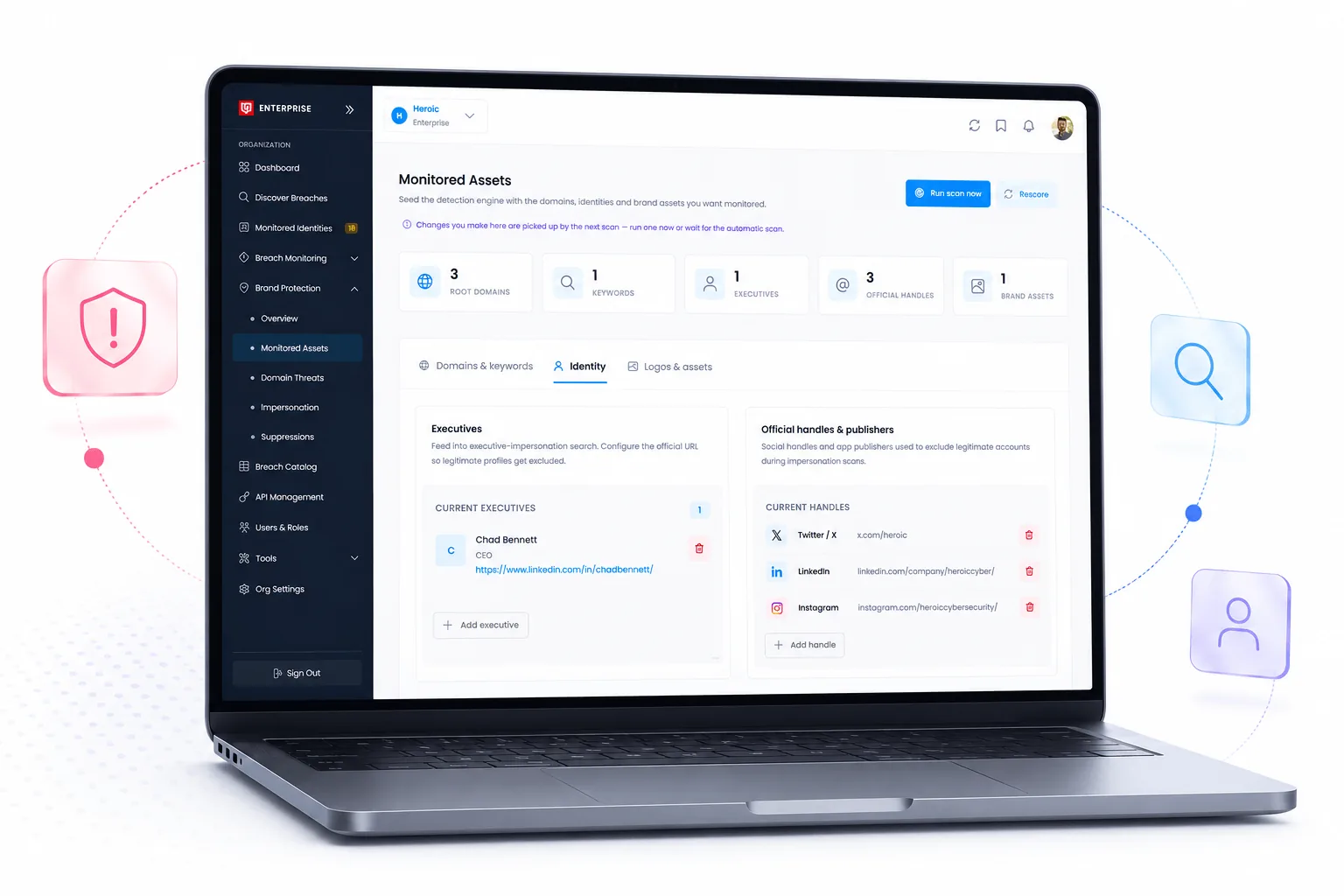
Impersonation monitoring
Stop impersonation across every channel
Fake social profiles, malicious mobile apps, and executive impersonation detected across social networks and app stores, with captured evidence so your team can respond fast.
Contact SalesUnified console
Monitor and respond from one place
Seed the engine with your domains, keywords, executives, and logos, then triage scored findings and generate takedown packages, all from a single dashboard alongside the rest of your DarkWatch intelligence.
Contact Sales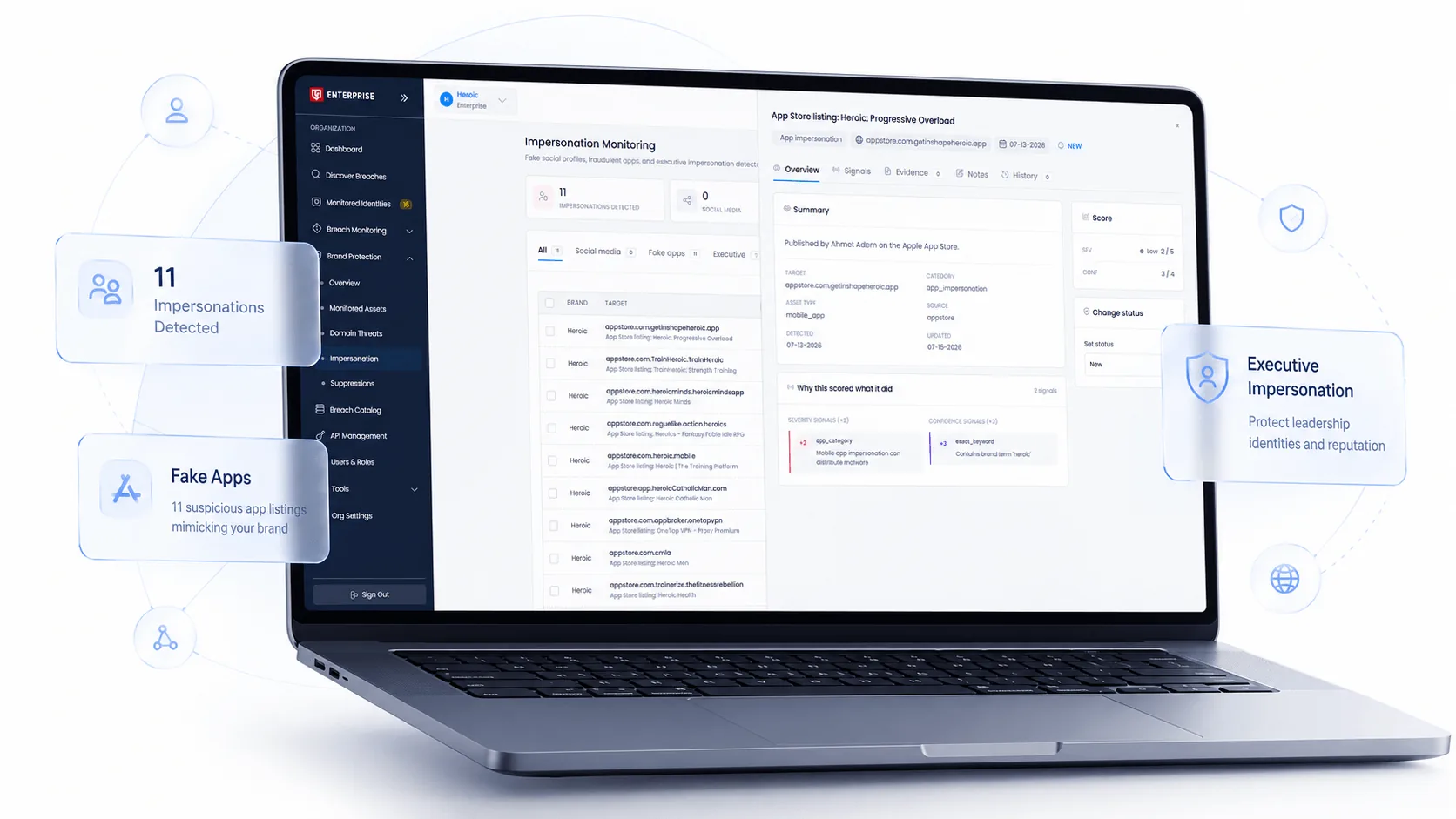
Common questions
Brand Protection FAQ
What is Brand Protection?
Brand Protection is an enterprise add-on for DarkWatch. Where DarkWatch watches the dark web for exposed credentials belonging to your organization, Brand Protection watches the open web for people pretending to be you. That means lookalike domains, phishing sites, fake social profiles, malicious mobile apps, executive impersonation, and unauthorized use of your logos and brand assets.
It runs inside the same console your team already uses, so brand findings sit alongside your breach intelligence rather than in a separate tool with its own login and its own workflow.
How is this different from the breach monitoring we already have?
Breach monitoring answers the question of what has already leaked. It works from credentials, stealer logs, and breach records that have appeared in dark web sources, and it tells you which of your identities are exposed.
Brand Protection answers a different question: who is actively impersonating your organization right now, out in public. A newly registered typosquat domain has not breached anything yet, but it is being stood up to fool your customers or your employees. The two work well together because attackers frequently combine them, using leaked credentials for access and a convincing lookalike domain for the phishing that harvests more.
What do we need to give you to get started?
You seed the engine with the things that belong to you. That includes your domains and the keywords tied to your brand, the executives and identities associated with your organization, your official handles on social platforms, any publishers authorized to represent you, and your logos and brand assets.
Everything detection does works from that list. The more complete it is, the sharper the results, and you can keep adding to it as your brand and org change.
How do you find lookalike domains?
Two main paths. Permutation scanning generates the variations an attacker would plausibly register against your domains, including typosquats and homoglyph lookalikes that swap in characters that render almost identically. Certificate transparency logs surface domains the moment a certificate is issued for them, which is often the earliest public signal that someone is preparing to put a site live.
Findings arrive scored, so your team is not sorting through every permutation that happens to exist. You also get the email security posture on flagged domains, which is a strong indicator of whether one is being prepared to send mail.
What kinds of impersonation do you detect?
Fake social media profiles posing as your brand or your people, malicious mobile apps listed in app stores, executive impersonation across platforms, and use of your logos and marks wherever they appear.
Executive impersonation is worth calling out on its own. It is the basis for most business email compromise and a lot of social engineering against staff, and it tends to be the category customers are most surprised to see volume in.
What happens when something is found?
Each finding opens into its own record. You get the specific signals that triggered the detection, the evidence captured at the time it was found, and a place for your team to leave notes on what they determined.
From there it works like any other queue. Assign the finding to whoever owns it, change the status as the work moves along, and keep a record of how it was resolved. Nothing requires leaving the console or exporting to a spreadsheet to track.
Can we stop things we have already reviewed from coming back?
Yes, that is what suppressions are for. Plenty of what detection surfaces turns out to be legitimate: a regional partner site, a reseller using your logo with permission, an authorized publisher, a domain you own but forgot about.
Suppress those once and they stop competing for your team's attention, while everything genuinely new keeps surfacing. It is the difference between a queue your team works and a queue your team learns to ignore.
Do you handle takedowns?
Brand Protection captures the evidence and assembles ready-to-send takedown packages, so the material a registrar, host, platform, or app store will ask for is gathered and organized before you file. That is usually where the delay happens, since the evidence has to be captured while the infringing asset is still live.
Talk to our team about how the takedown workflow fits your process, particularly if you have counsel or an external brand agency already involved.
How do we turn it on?
Brand Protection is an enterprise add-on, so it is enabled on your organization rather than purchased separately. Contact our team and we will walk you through what it surfaces against your actual domains and brand assets before you commit to anything.
See the lookalike domains and fake profiles already targeting your brand.
Our team will walk you through real findings, show how evidence capture and takedowns work, and answer your security team's toughest questions.
Prefer to reach out another way?
"*" indicates required fields
/img/qr-code.png)